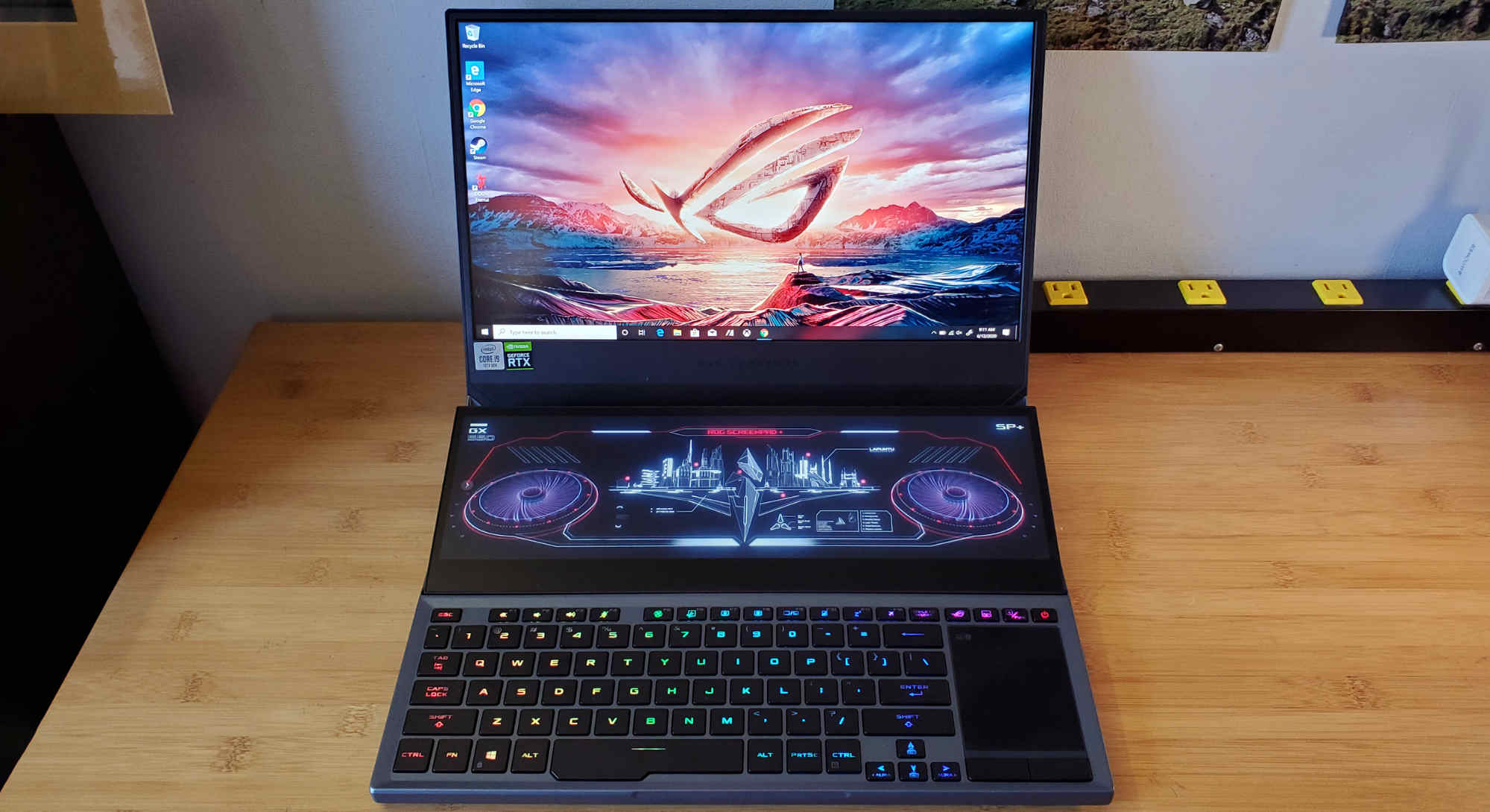
Choosing the right laptop in 2026 is easier than ever—but also more confusing. The lines between work laptops and gaming laptops have blurred. Today, a single machine can handle spreadsheets, video calls, coding, and AAA gaming without breaking a sweat.
The challenge is not finding a powerful laptop—it’s finding one that fits your specific needs, budget, and usage style. This guide will walk you through the best laptop categories for work and gaming, along with a detailed comparison to help you make the right decision.
What Makes a Laptop Good for Work and Gaming
A laptop that can handle both productivity and gaming needs a balanced set of specifications. Here’s what actually matters:
- Processor (CPU): Intel Core i5/i7 (13th/14th Gen or Core Ultra) or AMD Ryzen 5/7
- Graphics (GPU): NVIDIA RTX 4050 or higher for modern gaming
- RAM: 16GB is the sweet spot for multitasking and gaming
- Storage: At least 512GB SSD (1TB recommended)
- Display: Full HD minimum, 144Hz or higher for smooth gaming
- Thermals: Efficient cooling system to prevent performance drops
In the US market, most mid-range laptops already meet these requirements, making it easier to find a solid all-rounder.
Best Laptop Categories for Work and Gaming
Instead of focusing only on specific models, it’s more useful to understand the best options by category.
1. Best Overall Work + Gaming Laptop
This category offers the perfect balance between performance, price, and usability.
Typical configuration:
- Intel Core i7 or Ryzen 7
- RTX 4050 or RTX 4060
- 16GB RAM
- 512GB–1TB SSD
- 144Hz display
Why it works:
These laptops can handle office work, multitasking, and modern games at high settings without overheating.
Best for:
Professionals who want one device for everything
2. Best Budget Work + Gaming Laptop (Under $1,000)
Budget gaming laptops in the US have improved significantly.
Typical configuration:
- Intel Core i5 or Ryzen 5
- RTX 3050 or RTX 4050
- 8GB–16GB RAM
- 512GB SSD
Why it works:
You can play most modern games at medium to high settings while still handling everyday tasks smoothly.
Best for:
Students, entry-level gamers, and casual users
3. Best Mid-Range Laptop ($1,000–$1,500)
This is the sweet spot for most buyers.
Typical configuration:
- Intel Core i7 or Ryzen 7
- RTX 4060
- 16GB RAM
- 1TB SSD
- 144Hz–165Hz display
Why it works:
Offers excellent performance for both gaming and professional tasks like video editing, coding, and design.
Best for:
Power users who want performance without going premium
4. Best Premium Laptop ($1,500–$2,500+)
High-end laptops deliver top-tier performance and build quality.
Typical configuration:
- Intel Core i9 / AMD Ryzen 9
- RTX 4070 or higher
- 16GB–32GB RAM
- 1TB+ SSD
- 165Hz–240Hz display
Why it works:
These laptops can handle AAA games at ultra settings and demanding workloads like 3D rendering and heavy editing.
Best for:
Gamers, creators, and professionals who need maximum performance
5. Best Lightweight Laptop for Work (Light Gaming)
Not everyone wants a heavy gaming laptop. Thin-and-light laptops are ideal for portability.
Typical configuration:
- Intel Core Ultra or Ryzen 5/7
- Integrated graphics or entry-level GPU
- 8GB–16GB RAM
- Long battery life
Why it works:
Perfect for office work, browsing, and light gaming like indie titles or older games.
Best for:
Professionals, travelers, and students
Comparison Table: Laptop Categories (USA Market)
| Feature | Budget ($700–$1,000) | Mid-Range ($1,000–$1,500) | Premium ($1,500–$2,500+) | Thin & Light ($800–$1,500) |
|---|---|---|---|---|
| CPU | Core i5 / Ryzen 5 | Core i7 / Ryzen 7 | Core i9 / Ryzen 9 | Core Ultra / Ryzen 5/7 |
| GPU | RTX 3050 / 4050 | RTX 4060 | RTX 4070+ | Integrated / Entry GPU |
| RAM | 8–16GB | 16GB | 16–32GB | 8–16GB |
| Storage | 512GB SSD | 1TB SSD | 1TB+ SSD | 512GB–1TB SSD |
| Display | 60–144Hz | 144–165Hz | 165–240Hz | 60–120Hz |
| Battery Life | 4–6 hours | 5–7 hours | 4–6 hours | 8–12 hours |
| Weight | Medium | Medium | Heavy | Light |
| Best For | Budget gaming | Balanced use | High performance | Portability |
How to Choose Based on Your Needs
For Office Work and Productivity
If your primary use is work—documents, spreadsheets, video calls—you don’t need a powerful GPU.
Focus on:
- Comfortable keyboard
- Long battery life
- Lightweight design
A thin-and-light laptop is usually the best choice.
For Gaming + Work Hybrid
If you want to game after work, you need a dedicated GPU.
Look for:
- RTX 4050 or higher
- 16GB RAM
- High refresh rate display
These laptops handle both gaming and productivity with ease.
For Students
Students need versatility at an affordable price.
Focus on:
- Good performance
- Decent battery life
- Upgradeable RAM
A mid-range or budget gaming laptop often provides the best value.
For Creators and Professionals
If you do video editing, 3D rendering, or coding:
Prioritize:
- Strong CPU + GPU
- High RAM (16GB minimum)
- Color-accurate display
Premium laptops are worth the investment here.
Real-World Performance Expectations
Understanding real-world usage helps set expectations:
- Budget laptops: Everyday work + casual gaming
- Mid-range laptops: Smooth multitasking + modern gaming
- Premium laptops: High-end gaming + professional workloads
In 2026, even mid-range laptops are powerful enough to handle most tasks efficiently.
Common Mistakes to Avoid
Many buyers overspend or choose the wrong device due to marketing hype.
Avoid these mistakes:
- Buying more power than you actually need
- Choosing 8GB RAM for heavy workloads
- Ignoring battery life and portability
- Overlooking cooling performance
- Focusing only on brand instead of specs
A balanced laptop is always better than a powerful but impractical one.
Mac vs Windows for Work and Gaming
This is a common question in the US market.
- MacBooks are excellent for work, battery life, and ecosystem integration
- Windows laptops are better for gaming due to GPU support
If gaming is important, Windows is the better choice.
If your focus is productivity and battery life, MacBooks are worth considering.
Final Verdict: What Should You Buy?
- If you want one device for everything: Choose a mid-range gaming laptop
- If you are on a budget: Go for a budget RTX 4050 laptop
- If you want maximum power: Invest in a premium RTX 4070+ machine
- If portability matters most: Choose a thin-and-light laptop
The best choice depends on how you balance performance, portability, and price.
The laptop market in 2026 offers incredible flexibility. You no longer need separate devices for work and gaming. A well-chosen laptop can handle both effortlessly.
The key is simple:
Understand your needs before you look at specs.
A laptop that fits your daily routine will always be more valuable than one that simply looks powerful on paper.